
Starting an Amazon business can look surprisingly simple from the outside.
Find a product. Create a listing. Send inventory to Amazon. Launch some ads. Wait for orders.
Then you open Seller Central.
Suddenly, you’re managing inventory forecasts, suppressed listings, advertising reports, keyword research, account-health notifications, customer refunds, FBA issues, Seller Support cases, and dozens of small decisions that seem harmless individually—but become exhausting when they arrive all at once.
For new Amazon sellers, the biggest challenge is often not learning how Amazon works. It’s managing the volume, repetition, and interconnectedness of the work required to keep an account healthy and growing.
The good news is that most of these responsibilities fall into a predictable set of recurring activities.
In this guide, we’ll explore seven Amazon seller management tasks that commonly consume a beginner’s time, explain why they matter, and show you how to create a more manageable workflow around them.
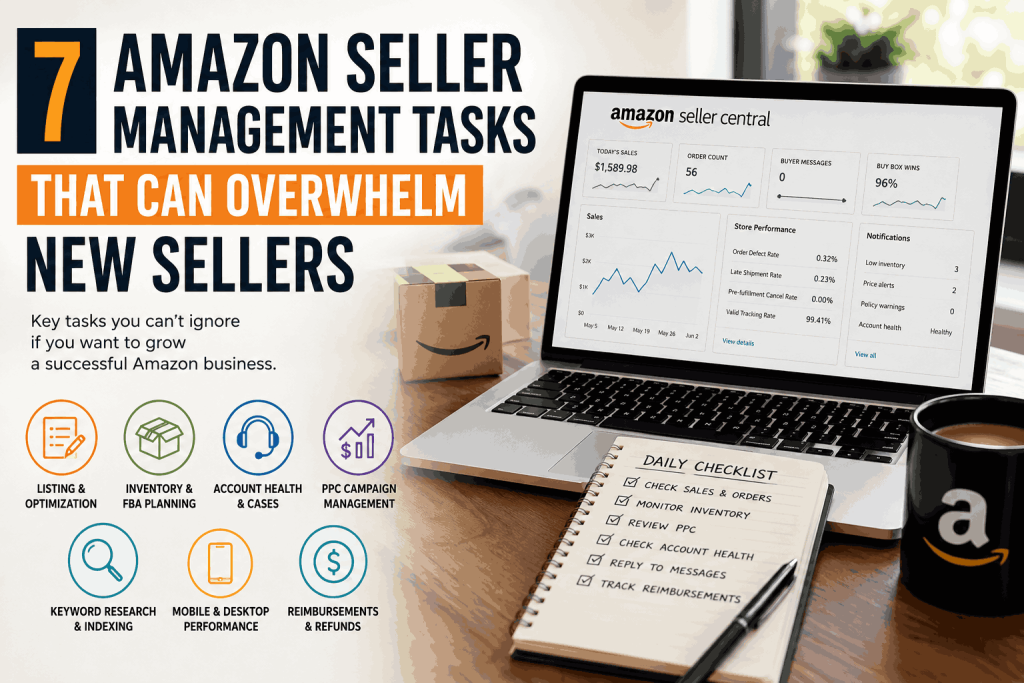
The 7 Amazon Seller Management Tasks New Sellers Need to Master
The most common recurring responsibilities include:
Product listing creation and optimization
Inventory management and FBA shipment planning
Seller Central cases and account health
Amazon PPC management
Keyword research and indexing
Mobile and desktop performance analysis
Refunds, reimbursements, and missing inventory
None of these activities exists in isolation.
A stockout can reduce sales velocity. Lower sales velocity can affect organic visibility. Losing organic traffic can increase dependence on advertising. Higher advertising costs can then put additional pressure on profitability.
That interconnectedness is why Amazon seller management can feel much more complicated than the individual tasks suggest.
Why Amazon Seller Management Becomes Overwhelming
The problem usually isn’t that a seller has seven enormous projects sitting on their desk.
It’s that they have seven operational systems running simultaneously.
A listing needs attention while inventory is being replenished. A PPC campaign is spending money while a support case is waiting for a response. Meanwhile, an important keyword may not even be indexed.
New sellers often respond by trying to check everything every day.
That sounds responsible, but it can create another problem: spending hours inside Seller Central without necessarily improving the business.
A better approach is to organize tasks according to three factors:
Frequency: How often does this need to be reviewed?
Financial impact: How much can this task affect revenue or profitability?
Urgency: What happens if the issue isn’t addressed immediately?
Some responsibilities deserve daily monitoring. Others can be reviewed weekly. Some should be handled monthly or only when a specific trigger occurs.
The goal isn’t to spend more time managing Amazon.
The goal is to make sure the right work gets attention at the right time.
1. Product Listing Creation and Optimization

Your Amazon listing is where traffic ultimately has to become revenue.
That makes listing management one of the highest-impact areas of an Amazon business.
It’s also important to distinguish between creating a listing and optimizing a listing.
Creating the listing gets the ASIN into the marketplace. Optimization is an ongoing process involving elements such as:
Product title
Main and secondary images
Bullet points
Product description
A+ Content
Backend search terms
Product attributes
Relevant keywords
A listing can be technically complete and still perform poorly.
For example, a product may receive plenty of impressions but generate relatively few orders. That could indicate a conversion problem rather than a traffic problem.
What Should Sellers Monitor?
Instead of rewriting the entire listing at once, look at the data and identify the weakest component.
Ask questions such as:
Are shoppers clicking the listing?
Are they purchasing after clicking?
Does the primary image communicate the product immediately?
Does the title explain the key benefit quickly?
Are important keywords incorporated naturally?
Does the mobile version remain easy to understand?
Does the listing answer common buyer objections?
Listing optimization should therefore be treated as a recurring improvement cycle, not a one-time setup task.
2. Inventory Management and FBA Shipment Planning
Inventory problems can become expensive surprisingly quickly.
Running out of stock can interrupt sales, reduce momentum, and create additional pressure on advertising and organic performance.
But sending too much inventory has its own consequences.
Excess stock can tie up working capital and potentially increase storage-related costs.
Effective inventory management therefore requires balancing two competing risks:
Too little inventory vs. too much inventory.
A useful inventory workflow should account for:
Current available units
Units already in transit
Average daily sales
Recent sales trends
Supplier lead time
Manufacturing time
Amazon receiving time
Seasonal demand
Safety stock
Instead of asking, “Should I reorder today?” every time inventory drops, establish a predetermined reorder point.
For example, if your supplier and logistics process require several weeks before replacement inventory becomes sellable, your reorder trigger should account for that entire timeline.
The exact number of days will vary from business to business.
The important part is having a defined trigger instead of making the same decision repeatedly.
3. Seller Central Cases and Account Health
Seller Central support can consume an extraordinary amount of time when problems aren’t tracked systematically.
A listing may become suppressed.
A variation may break.
An attribute may be rejected.
Inventory may appear incorrectly.
A policy notification may require action.
Or a support case may receive a response that doesn’t actually solve the original problem.
Opening a case is only the beginning.
A better approach is to maintain a simple case-management record containing:
Case ID
Date opened
Problem description
Relevant ASIN
Screenshots or supporting evidence
Amazon’s response
Next action
Escalation status
Resolution date
This prevents important issues from disappearing into the Seller Central case history.
Account Health Deserves Its Own Routine
Sellers should periodically review account-health indicators rather than waiting for Amazon to send a warning.
The goal is to identify potential problems while they’re still manageable.
A small issue caught early can be a routine fix.
The same issue ignored for several weeks can become a serious operational headache.
4. Amazon PPC Campaign Management
Amazon PPC is another area where beginners often underestimate the ongoing workload.
Launching a campaign is easy.
Managing it profitably is the real job.
A campaign can continue spending money long after its initial setup. Search terms that generate clicks without meaningful sales can quietly consume budget, while valuable converting terms may deserve additional investment.
A practical PPC workflow should include:
Search-term analysis
Keyword performance reviews
Bid adjustments
Negative keyword management
Budget monitoring
Placement analysis
Campaign segmentation
Conversion-rate analysis
ACOS and ROAS evaluation
Discovery of new search terms
One important principle is to give campaigns clearly defined purposes.
For example, a campaign designed for keyword discovery doesn’t necessarily need to be managed using exactly the same rules as a campaign built around proven converting keywords.
PPC and Organic Search Should Work Together
Advertising data can reveal how shoppers actually search for a product.
Those insights can then inform listing optimization and broader Amazon SEO decisions.
Instead of treating PPC and SEO as completely separate activities, use advertising data to understand customer search behavior and feed useful insights back into your organic strategy.
5. Keyword Research and Amazon Indexing
Keyword research is often treated as the starting point of Amazon SEO.
But finding a keyword is only half the equation.
Amazon also needs to associate your product with that search term.
That’s where indexing becomes important.
A seller can have a spreadsheet containing hundreds of promising keywords and still receive little organic visibility if the relevant terms aren’t properly associated with the listing.
Keyword research should therefore answer several questions:
Is the keyword relevant to the product?
Does it represent meaningful shopper intent?
Is there enough search demand?
Is the competition realistic?
Where should the keyword be incorporated?
Is the product actually indexed for it?
After making listing changes, indexing should be checked rather than assumed.
This creates a useful feedback loop:
Research → Optimize → Index → Monitor → Improve
Not every keyword deserves to be forced into a listing.
Amazon content should remain readable and useful to shoppers. Search visibility matters, but keyword stuffing can damage the customer experience and make a listing harder to understand.
6. Analyze Mobile and Desktop Shopping Behavior
Amazon sellers sometimes focus heavily on desktop reports and overlook how customers actually experience their product pages on mobile devices.
That creates an important optimization question:
Does your listing work equally well on a small screen?
A product page that looks excellent on a desktop monitor may communicate poorly on a smartphone.
Titles can be truncated. Images occupy a smaller viewing area. Important information may be pushed farther down the page. Customers may make purchasing decisions after seeing only a small portion of the available content.
That means mobile optimization isn’t simply a technical consideration.
It’s a conversion consideration.
Review the Customer Experience From a Phone
Open your own listing on a mobile device and ask:
Can I understand the product immediately?
Is the primary image clear?
Does the beginning of the title communicate the most important information?
Are the product’s major benefits obvious?
Can I quickly identify size, quantity, compatibility, or other critical specifications?
Does anything look cluttered or confusing?
Sometimes the easiest optimization is simply experiencing the listing as a customer would.
7. Refunds, FBA Reimbursements, and Missing Money
This is one of the most frequently overlooked areas of Amazon seller management.
Sellers naturally concentrate on revenue, advertising, and inventory.
Meanwhile, money can be lost through operational discrepancies.
Potential issues may involve:
Lost FBA inventory
Damaged inventory
Customer refunds
Incorrect inventory adjustments
Fulfillment discrepancies
Other eligible reimbursement situations
The challenge is that these problems don’t always announce themselves clearly.
That’s why reimbursement management should be approached as a recurring audit, rather than an occasional cleanup exercise.
Keep records of relevant inventory movements and compare Amazon’s reported quantities with your own records.
It’s also important to stay aware of changes to Amazon’s reimbursement policies and calculations, because eligibility and reimbursement rules can change over time.
The key lesson is simple:
Revenue is not the same thing as retained profit.
If money is being lost through operational discrepancies, increasing sales alone doesn’t solve the underlying problem.
How to Organize Amazon Seller Management Without Living Inside Seller Central
The answer isn’t to check everything constantly.
Instead, build a simple operating rhythm.
Daily
Focus on issues that can immediately affect sales or account stability:
Major account-health alerts
Critical inventory problems
Significant advertising overspending
Listing suppressions
Unexpected sales or traffic changes
Weekly
Use a deeper review for:
PPC performance
Search terms
Inventory forecasts
Keyword opportunities
Listing conversion performance
Open Seller Central cases
Monthly
Conduct a broader business review covering:
Product profitability
Inventory turnover
Organic growth
Advertising efficiency
Reimbursement opportunities
Listing improvements
Product-level performance
This structure prevents every Amazon task from becoming an emergency.
Which Amazon Tasks Should You Outsource?
Not every seller needs an agency.
And not every task needs to be outsourced.
The better question is:
Which activities are consuming your time without creating enough value in return?
For many sellers, the following approach can make sense:
Task Possible Approach
Inventory planning Keep closely involved
Product strategy Keep ownership
Listing optimization Consider specialist support
PPC management Consider outsourcing as complexity grows
Seller Support cases Often suitable for delegation
Keyword research Can be delegated after strategy is established
Reimbursement audits Good candidate for systematic outsourcing
Account-health monitoring Can be delegated with proper oversight
The decision should be based on cost, complexity, expertise, and opportunity cost, rather than an arbitrary sales threshold.
If managing PPC for several hours each week prevents you from sourcing new products or negotiating with suppliers, the real cost of doing it yourself may be much higher than the management fee.
The goal isn’t to outsource everything.
It’s to give each responsibility an appropriate owner.
A Simple Amazon Seller Management Framework
A useful way to think about Amazon operations is to divide responsibilities into four buckets.
1. Protect
Prevent problems before they become expensive.
This includes:
Account health
Inventory availability
Listing compliance
Support issues
2. Optimize
Improve the performance of assets you already have.
This includes:
Listings
Images
A+ Content
PPC
Keywords
Conversion rate
3. Recover
Look for money or performance that has already been lost.
This includes:
Reimbursements
Inventory discrepancies
Refund issues
Wasted advertising spend
4. Grow
Use information from the first three areas to make better business decisions.
This includes:
New products
New keywords
New campaigns
Pricing strategy
Expansion opportunities
This framework helps prevent Amazon management from becoming an endless list of disconnected chores.
Frequently Asked Questions
What does Amazon seller management include?
Amazon seller management covers the operational activities required to maintain and grow an Amazon store. Depending on the business, this can include listings, inventory, PPC, SEO, account health, Seller Support, reporting, reimbursements, and performance analysis.
How much time does Amazon seller management require?
There is no universal number.
The workload depends on factors such as the number of products, marketplaces, order volume, advertising complexity, inventory model, and frequency of account issues.
A single-product store and a multi-marketplace catalog can require dramatically different levels of management.
What should a new Amazon seller prioritize first?
Start with the fundamentals:
A compliant, conversion-focused listing
Reliable inventory
Healthy account metrics
Controlled advertising
Relevant keyword targeting
Regular performance analysis
There’s little value in aggressively scaling advertising if the product page can’t convert the traffic.
Should Amazon PPC be managed every day?
Not necessarily.
Important account or budget issues may require immediate attention, but many PPC optimization decisions become more meaningful when enough data has accumulated to reveal a trend.
A structured weekly optimization process can be more useful than constantly changing bids based on small daily fluctuations.
When should an Amazon seller consider outsourcing?
Outsourcing becomes worth considering when recurring operational work starts taking time away from higher-value responsibilities, or when the seller lacks the expertise required to manage a particular area efficiently.
The goal shouldn’t be to outsource everything.
It should be to give each responsibility an appropriate owner.
The Work Doesn’t Disappear. Your Process Gets Better.
Amazon seller management becomes difficult when every task is handled reactively.
A listing problem appears, so you fix it.
Inventory gets low, so you reorder.
PPC spending rises, so you investigate.
Amazon sends a notification, so you open Seller Central.
That cycle creates constant firefighting.
A stronger operation turns those reactions into systems.
Listings receive scheduled optimization.
Inventory has predefined reorder triggers.
PPC follows a recurring review process.
Account health is monitored before problems become emergencies.
Keywords are researched, indexed, and evaluated systematically.
Reimbursements are audited rather than forgotten.
The objective isn’t to eliminate Amazon’s workload.
It’s to make that workload predictable, measurable, and manageable.
For a new seller, that shift can make the difference between spending every week buried inside Seller Central and actually having time to work on the business instead of constantly working in it.
If you’d like, I can also turn this into a more SEO-focused version with a meta title, meta description, URL slug, primary/secondary keywords, and suggested internal-link placements.